
To speak with a Recovering Addict call 619-584-1007 (San Diego County) or 442-456-1168 (Imperial County)
Para hablar con un adicto en recuperación, llame 619-546-0774

Favorite Meetings
A new feature in the Meeting List lets you save meetings as favorites. Use the heart icon to designate your favorites. Then use the “Favorites” button to display all of your favorite meetings.
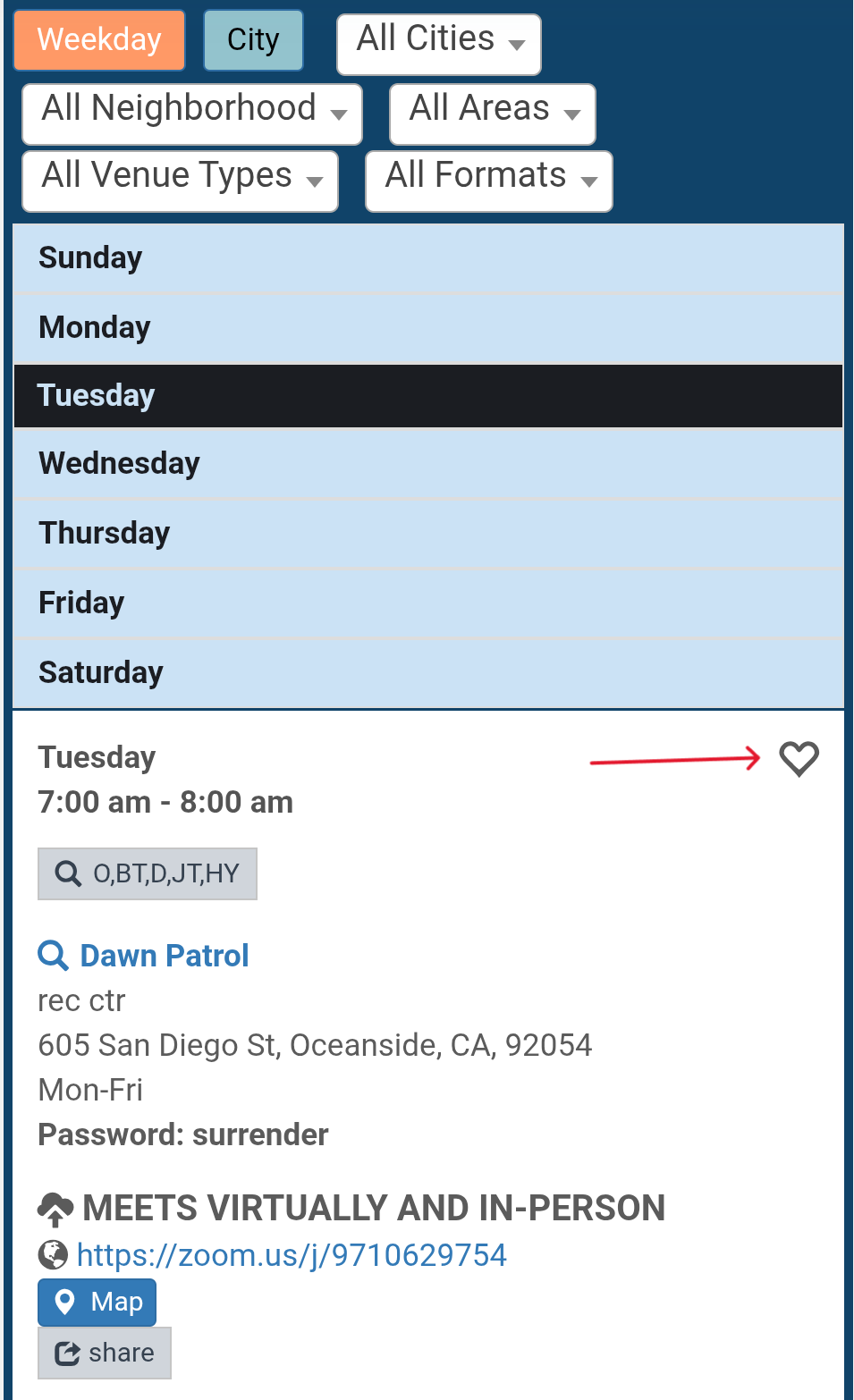
The Heart Icon
A new feature to save favorite meetings. A heart icon appears in the meeting description.
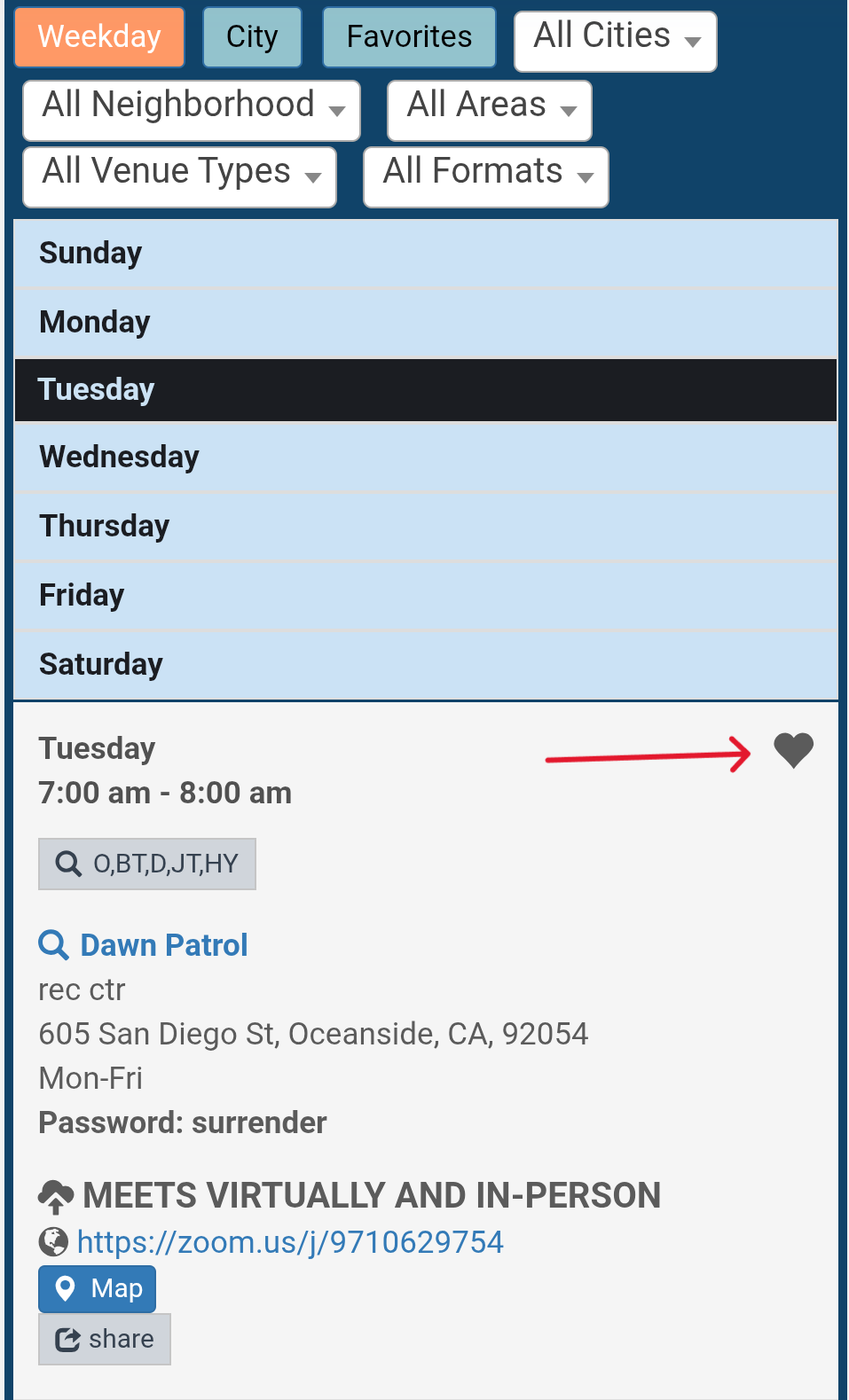
Save Favorite
Click the heart icon to select it. A new button will appear in the top menu called “Favorites”. You can add as many meetings as you wish.
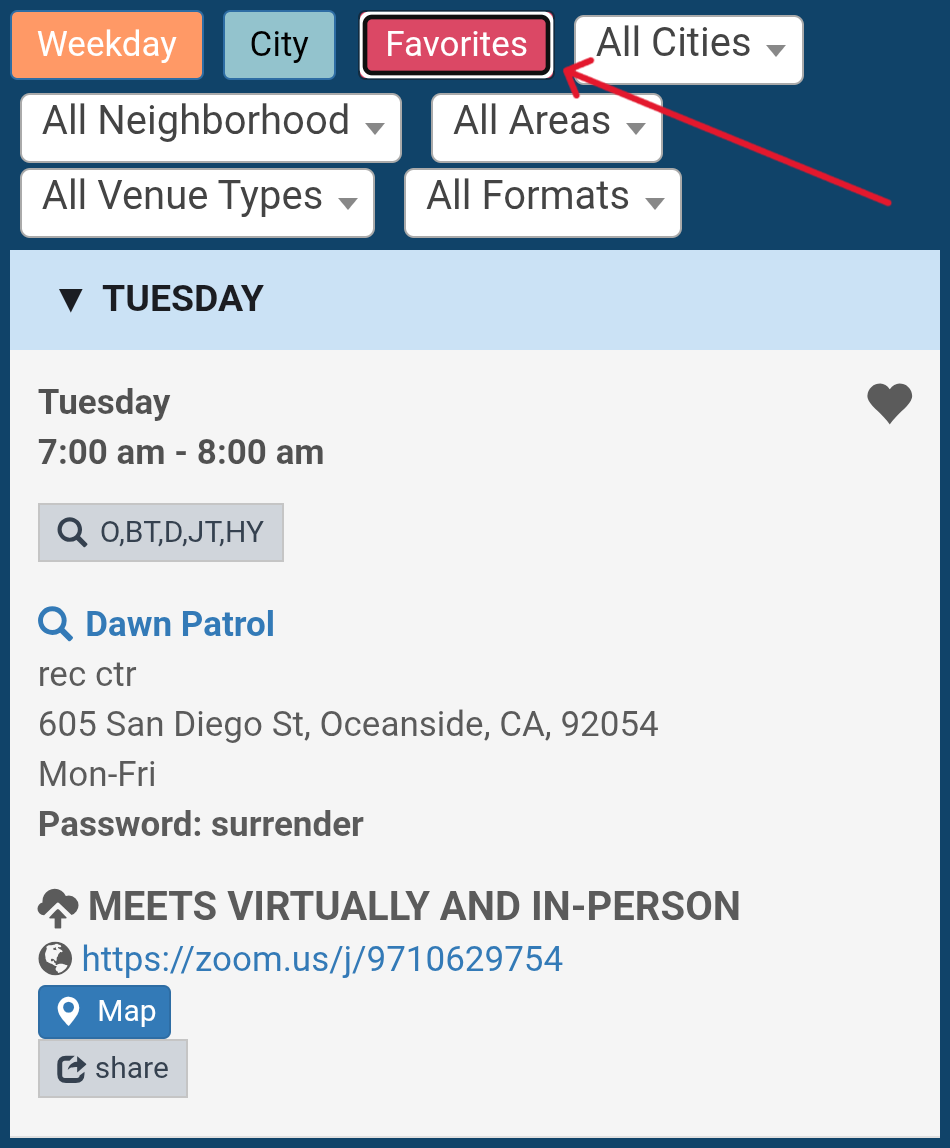
Favorites Button
Click the “Favorites” button and view all your favorite meetings stored in one place.